I need an efficient tool to analyze the authenticity or possible alterations of a photo.
Solved by FotoForensics
The Problem
In the digital world, it's often difficult to distinguish between an original and a forgery. This is particularly true for photos, which are frequently manipulated by sophisticated editing techniques. Therefore, there is a need for a tool that can confirm the authenticity of an image or show potential changes. Furthermore, it would be advantageous if this tool could additionally extract metadata and provide information about the image and its creation process. Ideally, this tool should be available online and be easy to use, so that both professionals and laypersons can benefit from it.
Screenshots

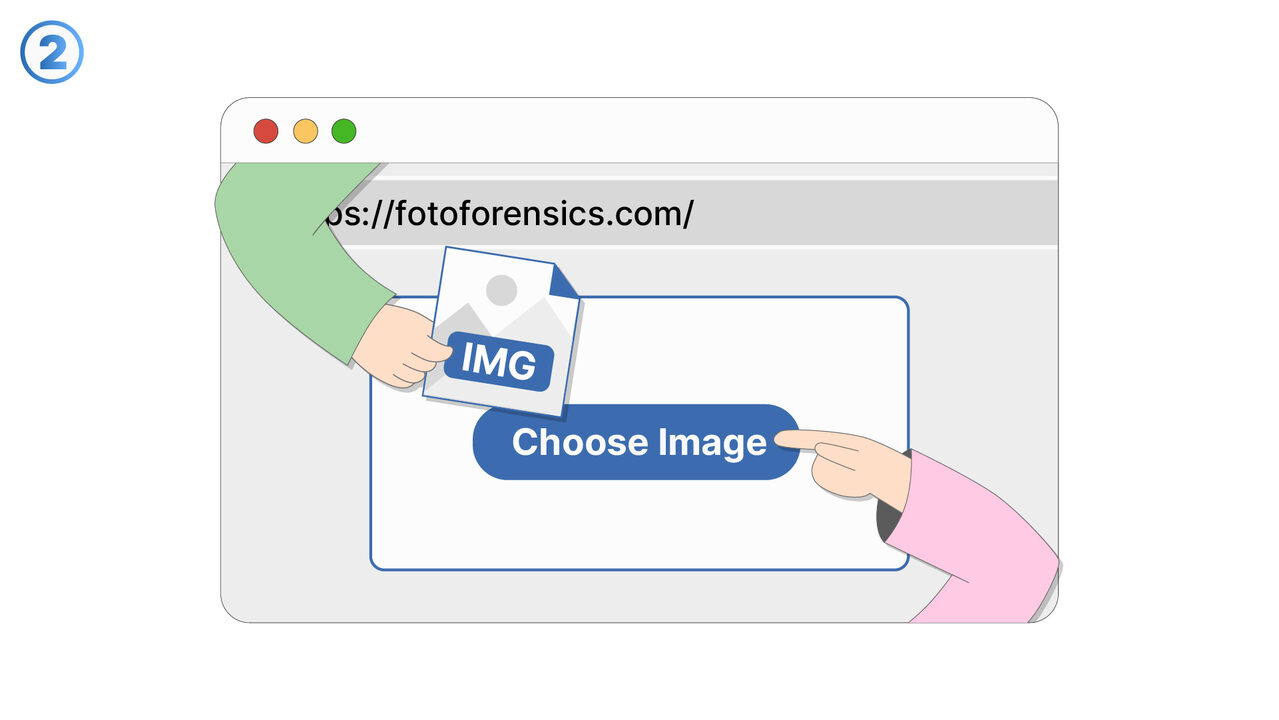
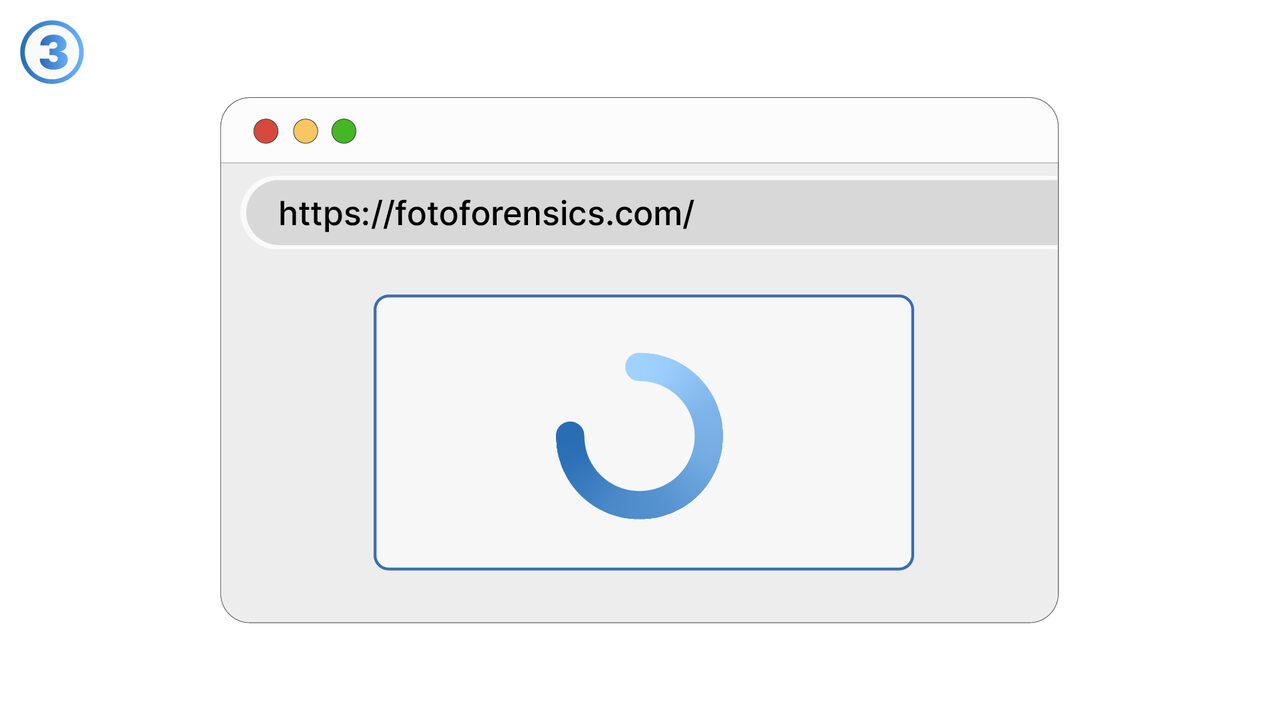
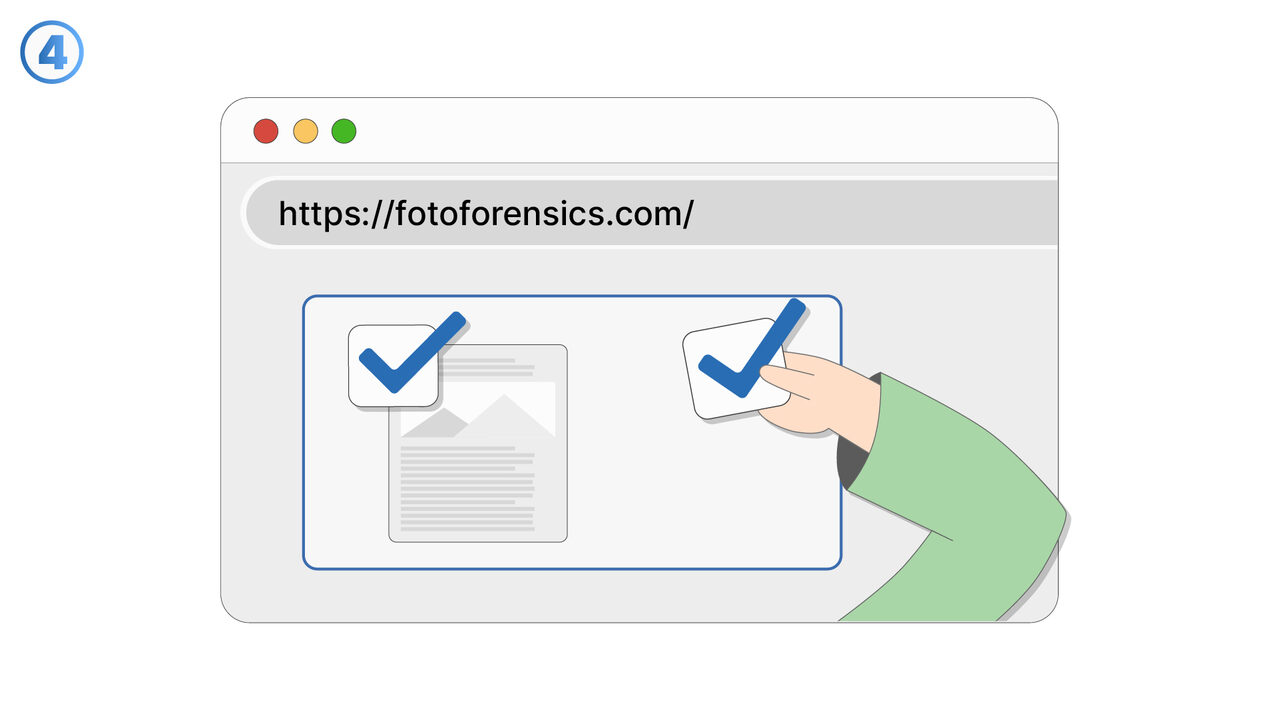
The Solution
FotoForensics provides a fast and efficient solution for verifying the authenticity of images in the digital world. By applying the Error Level Analysis (ELA) algorithm, possible manipulations and changes in the image structure can be uncovered, making it easier to distinguish between the original and the forgery. In addition, FotoForensics can also extract metadata and provide additional information about the image, including details about its creation and the device used. As an online tool, FotoForensics is easily accessible and user-friendly, meaning both professionals and laypeople will appreciate its use for verifying image authenticity.
External Resource
https://fotoforensics.com/
Use this tool as a solution to the following problems
- I am uncertain about the authenticity of an image and need an online tool for analysis and confirmation.
- I need a tool to verify the authenticity of a photo and determine whether it has been manipulated.
- I need a tool to check the authenticity and possible manipulations of a photo.
- I need to extract metadata from a photo and verify its authenticity.
- I need a tool to verify the authenticity and integrity of images and reveal manipulations.
- I need a tool to verify the authenticity and possible manipulations of photos on social media.
- I have to check if there are potential forgeries in competition entries.
- I need a tool to analyze the authenticity of photos, to identify possible forgeries or manipulations.
- I need a tool to verify the authenticity and potential manipulations of images, including deepfake visuals.
Know a better solution? Let us know.
If you know of a tool or approach that could help people solve a problem we haven't covered yet, we'd love to hear about it.